
How to Make an AI Rap Video (Photo, Topic, Done)
A practical guide to making an AI rap video from a photo: picking a scene, writing a topic that produces good bars, and photos that lip-sync well.
 AI Rap Team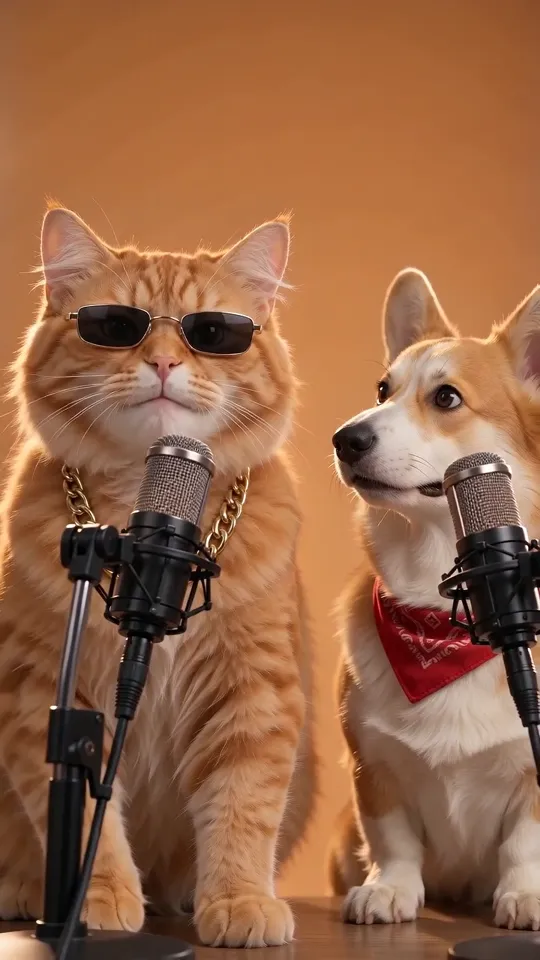
An AI rap video is a short vertical clip where a face from a photo performs an original rap, lip-synced to a beat. With AI Rap it takes three choices and about three minutes. This guide covers each choice and what makes the result worth sharing.
1. Pick the scene first
The scene decides the beat, the camera and the mood, so choose it before you think about lyrics.
- Two people or a pet duo? Use Hotel Lobby AI for the orange-booth duo look, or the AI rap battle generator when the two sides should go at each other.
- A pet? The cat rapping video template puts your cat or dog at the mic with a chain on.
- An occasion? Birthday rap and roast rap are built for names and inside jokes.
- A trend? Bulin 47 AI recreates the street freestyle outside a red-lit restaurant.
2. Use a photo that lip-syncs well
The model needs to see the mouth and the eyes. The best photos are:
- front-facing, shoulders up, sharp and evenly lit;
- free of sunglasses, masks or hands near the face;
- a single subject per photo (for duos, upload one photo per performer).
For pets, a close-up of the face beats a full-body shot. Only upload photos of yourself, friends who agreed to it, or your animals.
3. Write a topic, not lyrics
You do not need to write bars. One specific sentence gives better lyrics than a vague one:
| Vague | Specific | | --- | --- | | A rap about my cat | My cat demands breakfast at 5am and knocks my glass off the table | | Birthday rap | Happy birthday Mia, she turns 30 and still cannot cook pasta | | A diss track | A diss track about my roommate who never does the dishes |
Names, numbers and a small embarrassing detail make it personal. Write the topic in Spanish, Portuguese or any other language and the rap follows that language.
4. Choose the length
Ten seconds is perfect for a quick hook on TikTok. Fifteen seconds fits a full exchange in duo templates. Longer raps that keep the photo's own background are available with photo to rap video.
5. Post it
The video comes back vertical (9:16), without a watermark, with an original song. On a phone, the share button sends the file straight to TikTok, Instagram or X. Add the trend's hashtag and the scene's name in the caption so people can find how you made it.
Ready? Make your first rap video.